Case Study
Mobile & Web
AgentNet is PropertyGuru's the leading web and app platform for real estate agents in Southeast Asia. It enables agents to create and manage listings, enhance marketing, and communicate with clients on-the-go. Lead Management is a new feature that we first released in Singapore. It helps agents organize, prioritize, and respond to potential clients efficiently. It provides insights on property seekers' preferences, and scores lead quality, enabling agents to focus on the most promising opportunities.
I was the senior product designer of this project. I collaborated with product manager, 2 product designers: lead and a fellow product designer, and the core experience engineering team.
PROBLEM

Some agents waste time on less promising leads, potentially missing out on valuable opportunities and reducing overall efficiency.

Lack of personalization can lead to generic responses, causing potential clients to feel undervalued and seek services elsewhere.

Without these tools, agents struggle to manage large volumes of inquiries, leading to overlooked leads and a disorganized workflow.
OPPORTUNITY
OUR USERS

Newcomers or part-timers using basic features to establish their presence and grow gradually.

Experienced professionals leveraging enhanced capabilities to expand their market reach and visibility.

High-volume professionals or agencies using premium features to manage large portfolios and dominate the market.
NEXT STEP
ANOTHER OPPORTUNITY
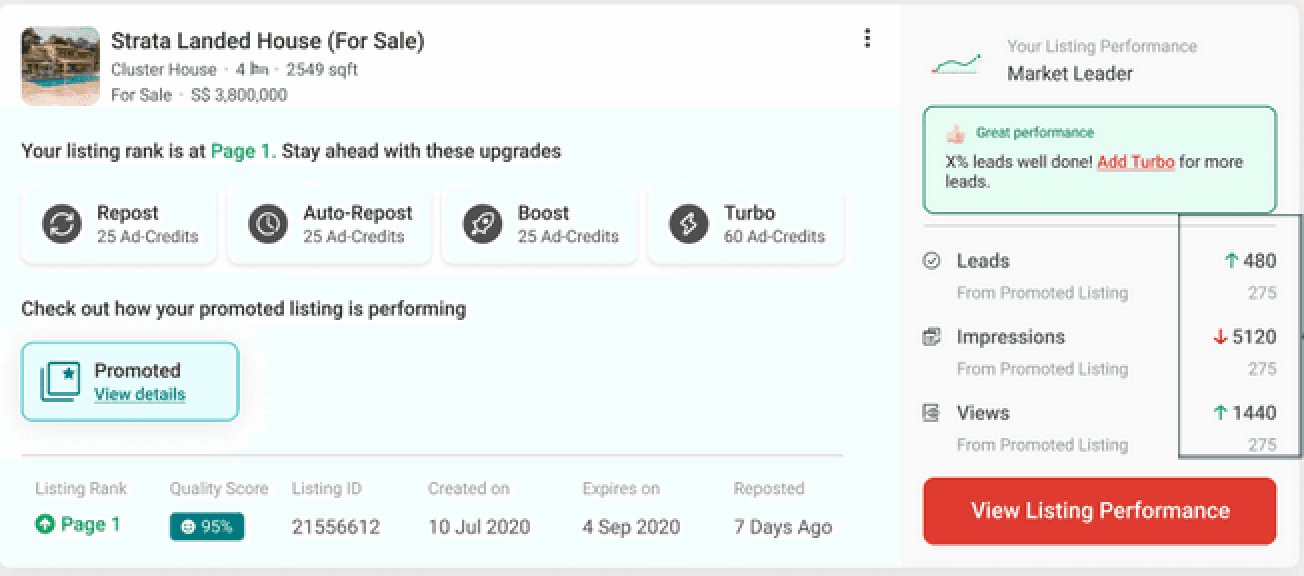
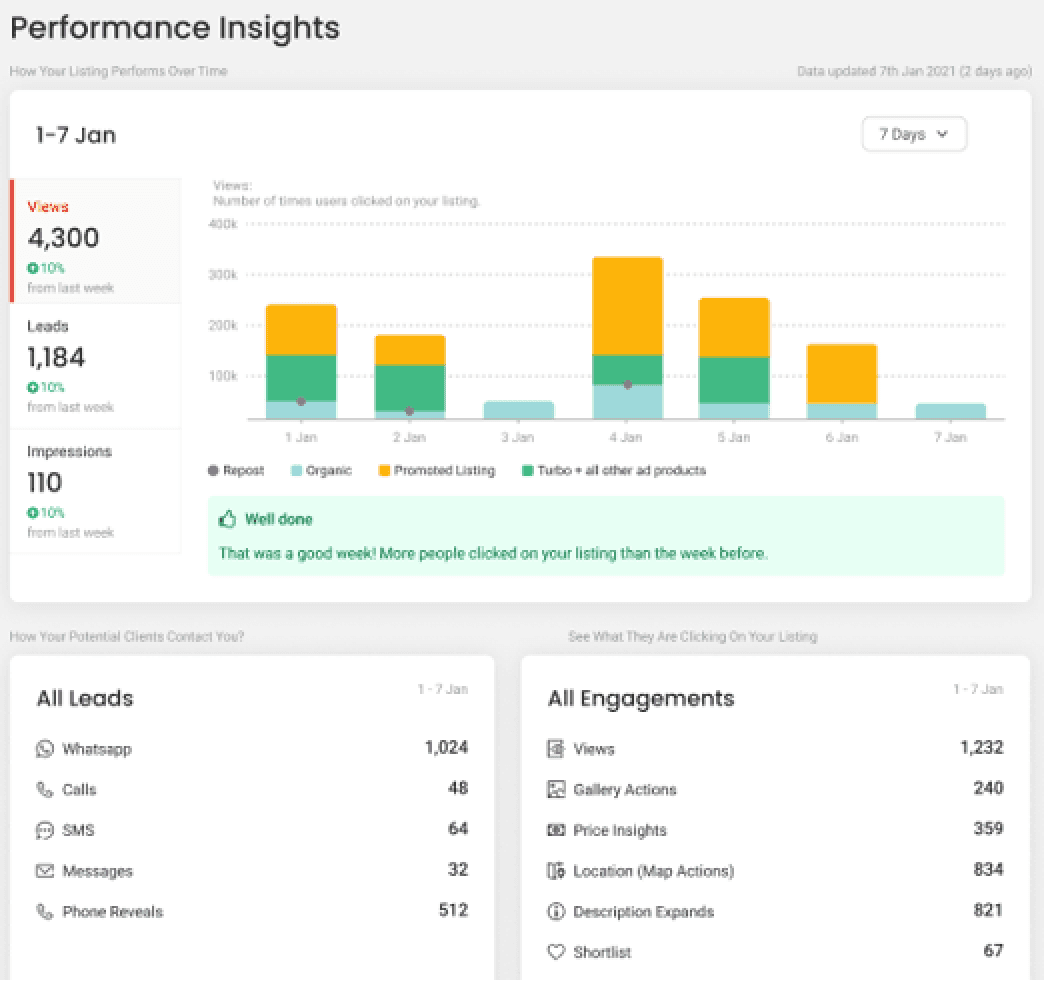
Because of the feature's limitations, Agents have to manually check their listing's performance from the insights. In Addition, they have to manually check and filter the messages from the platform and WhatsApp.
Initial Assessment. Receive inquiries from potential clients
Follow up with promising leads. Schedule viewings or provide additional information
Manage ongoing communications. Sort and filter leads, track progress and update status
Focus efforts on closing deals with serious clients
Complete transactions and follow up for referrals
Using this information, our team brainstormed ways to create value for our agents, ultimately benefiting the company.
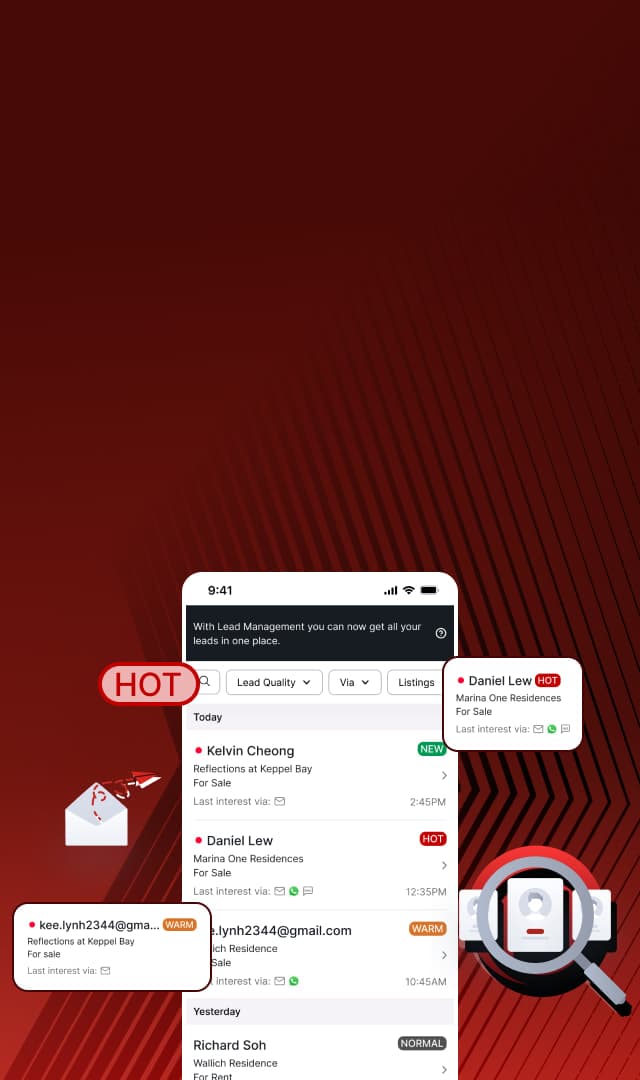
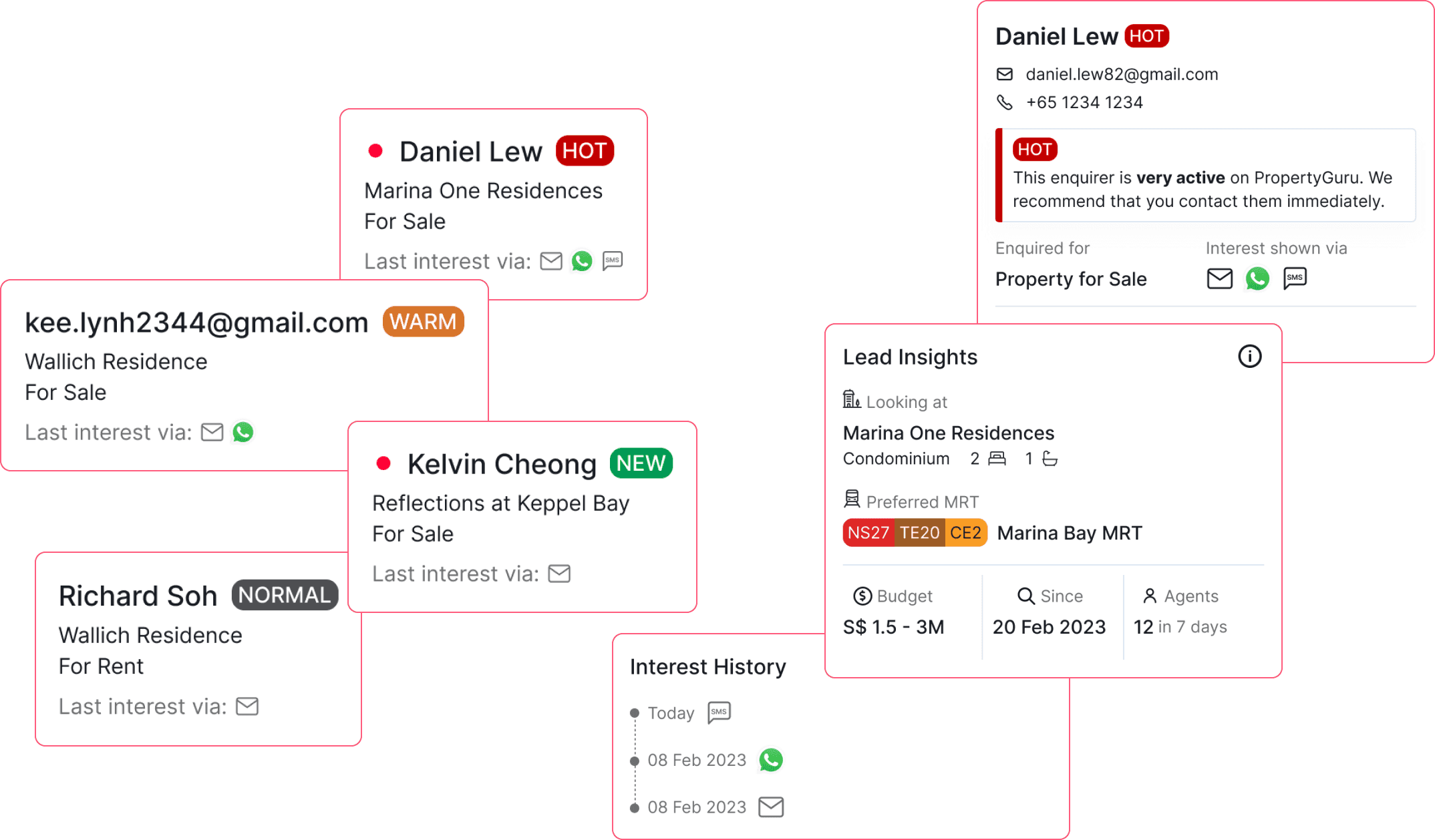
Lead Management is a dashboard that and allows agents to see all their leads, which includes contact details and lead quality*, in one place to get more valuable insights from the AgentNet platform.
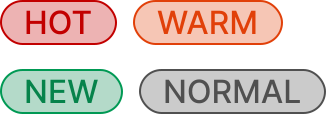
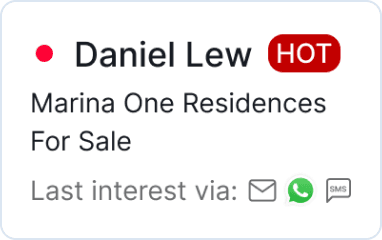
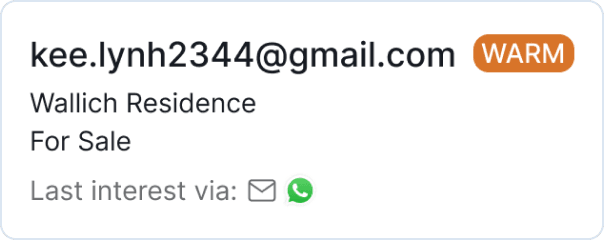
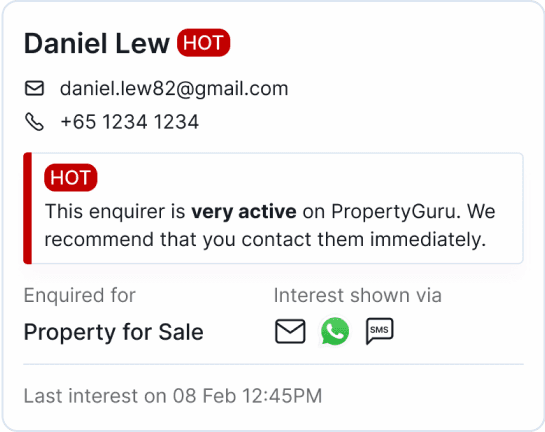
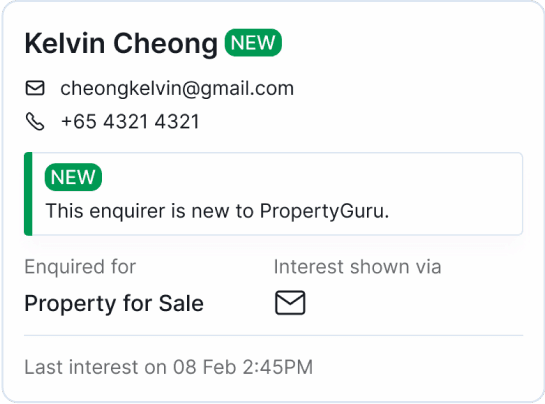
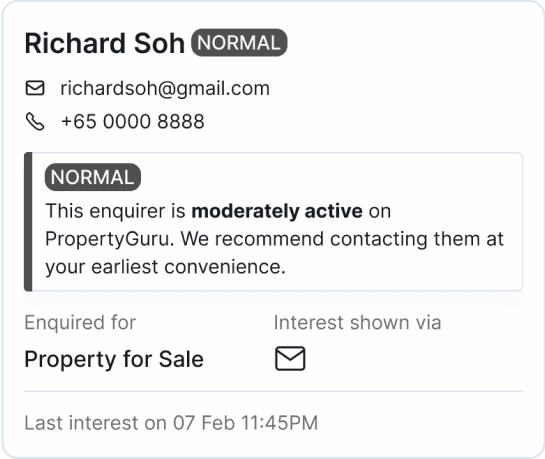
*Lead quality refers to the property-seeker's activity on the platform, which is sorted by hot, warm, normal, and new, with hot being the most active. This helps give agents valuable insights on which leads to prioritize.
We aligned on the structure that will address our problems, to work on these use cases:
Streamlined lead organization saves time and enhances agents' productivity.
Access to detailed information helps agents focus on high-quality prospects, increasing the chance of success
Informed decisions based on comprehensive data enables agents to optimize their approach, improving overall effectiveness and results.
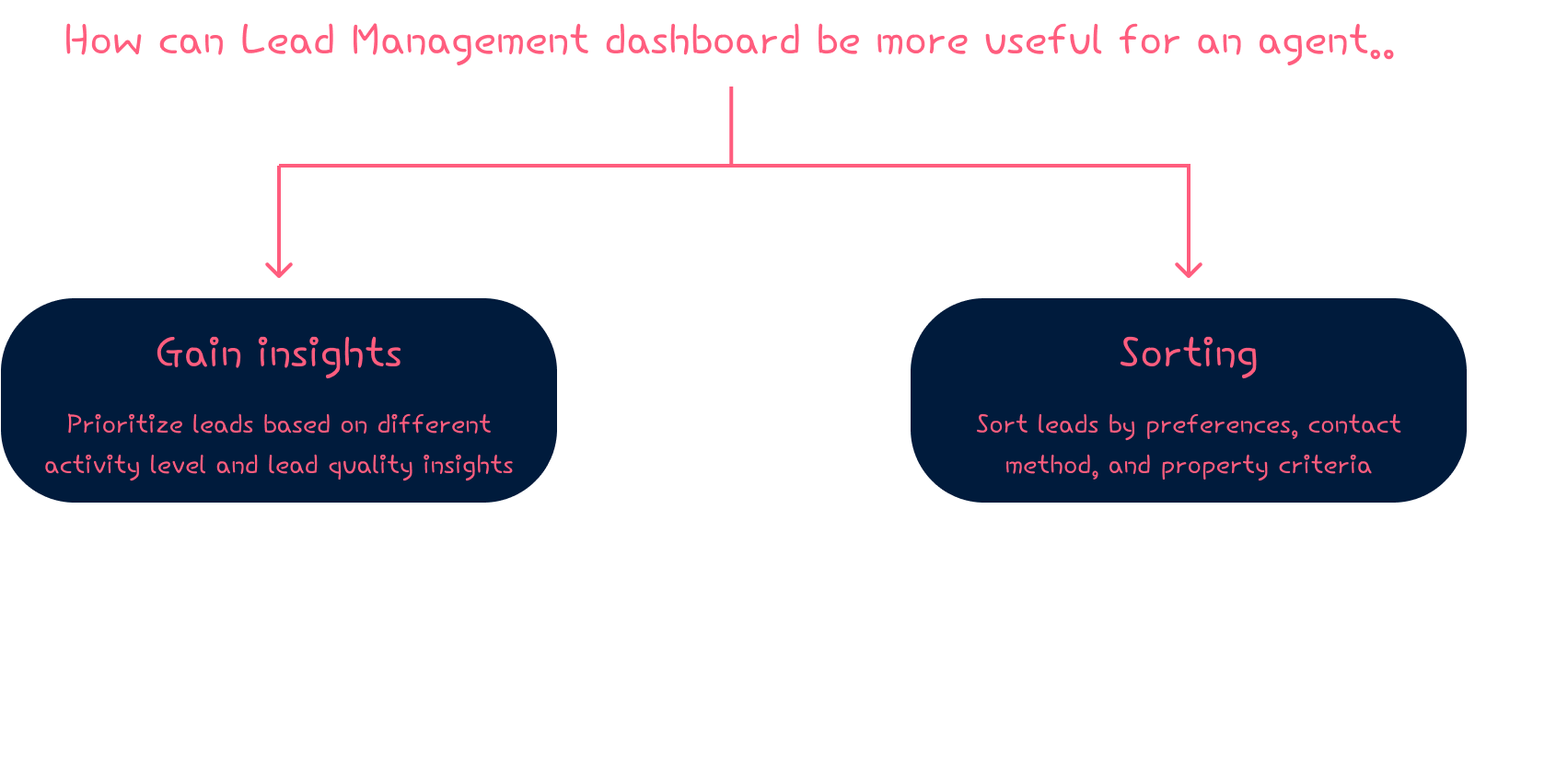
Our team brainstormed on what are the possible features that allows agents to utilize their dashboard further?
FINAL DESIGN
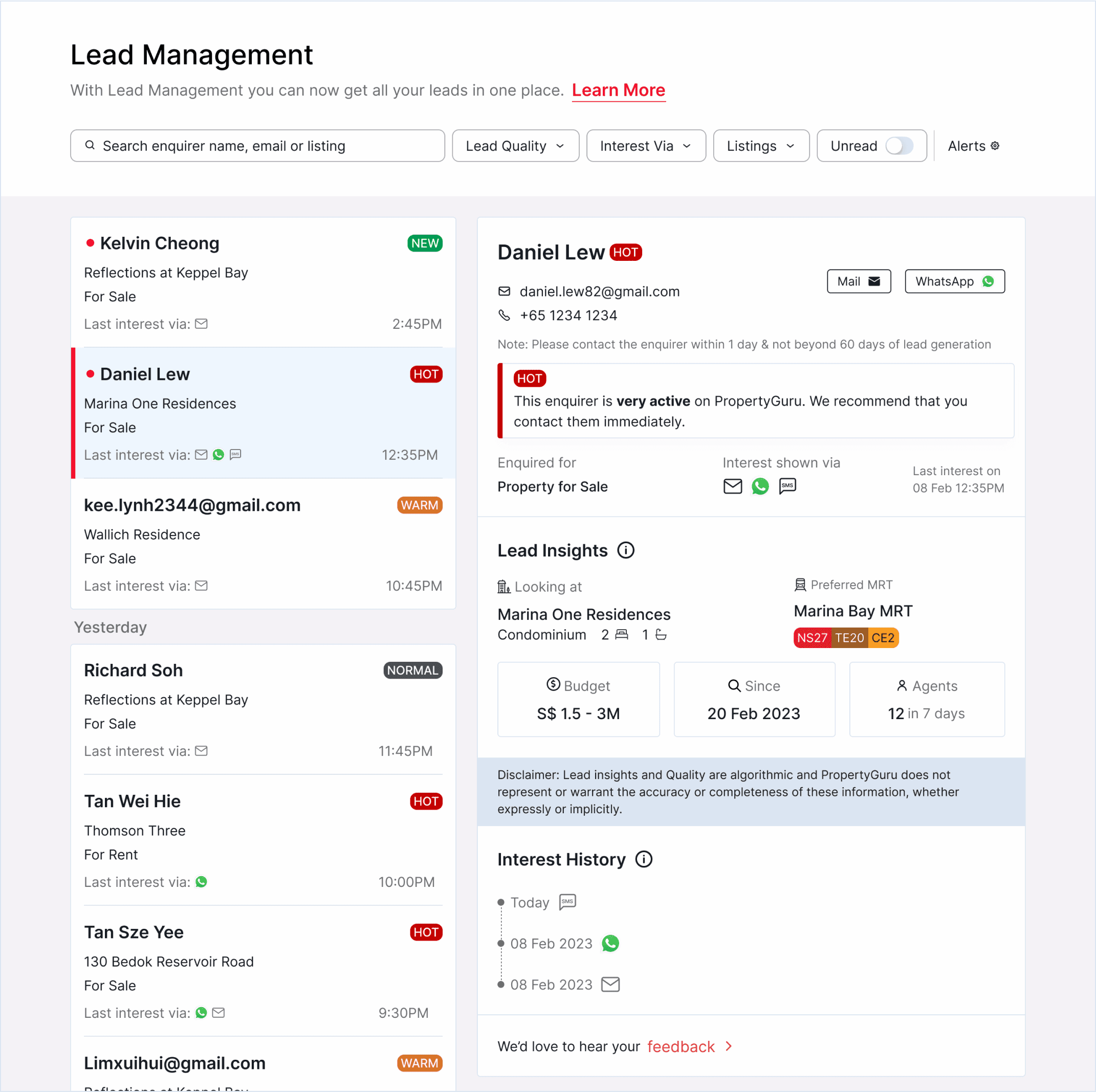
The Lead Management dashboard allows agents to personalize the dashboard by sorting leads based on the use cases or search for specific leads, depending on the agent's preferences.
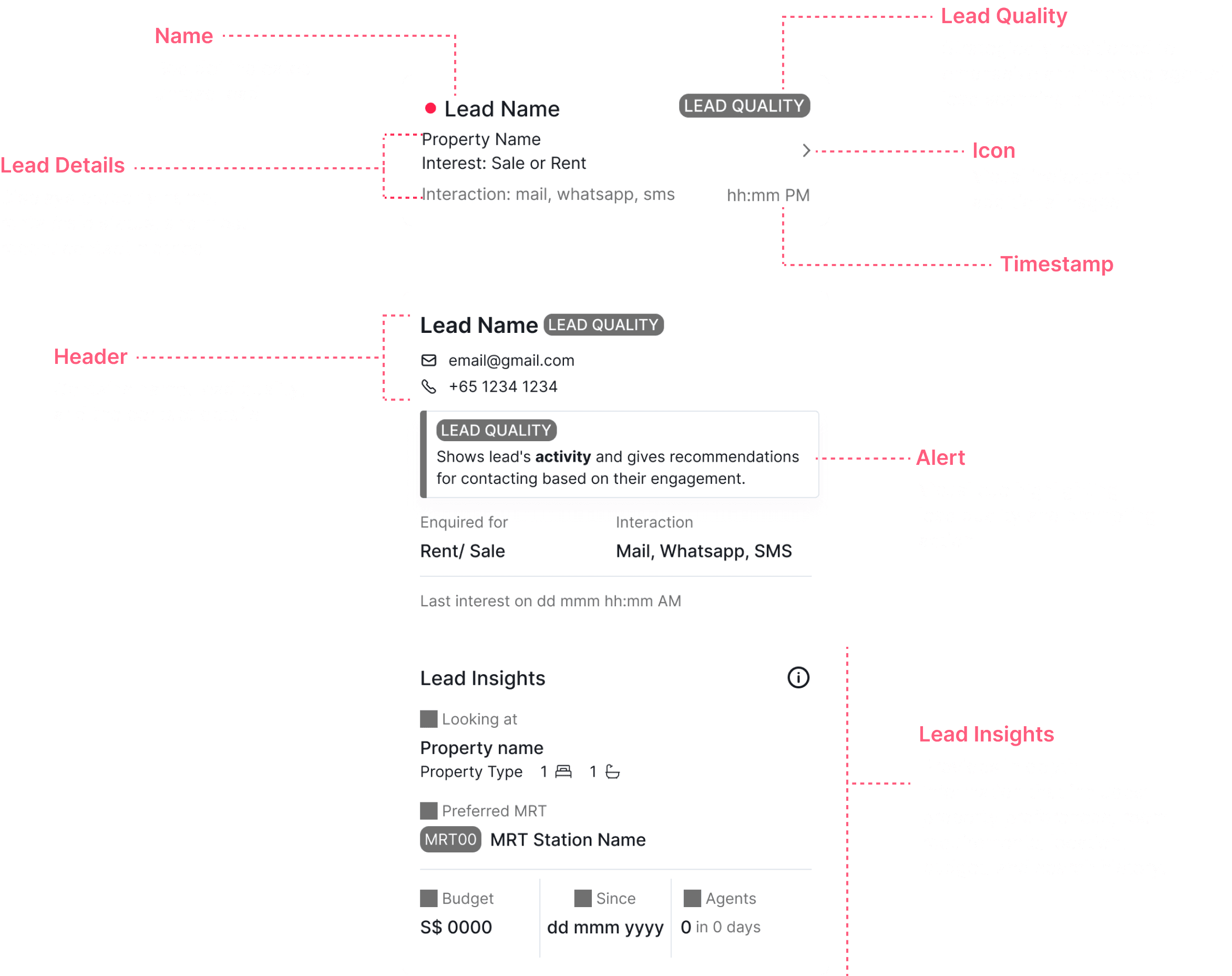
Strategically placed lead quality icons enable quick assessment. A one look, it displays key information, this leads to efficient lead prioritization.
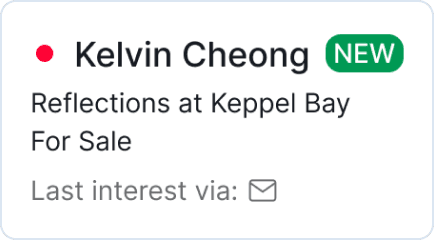
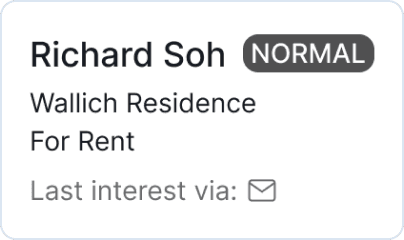

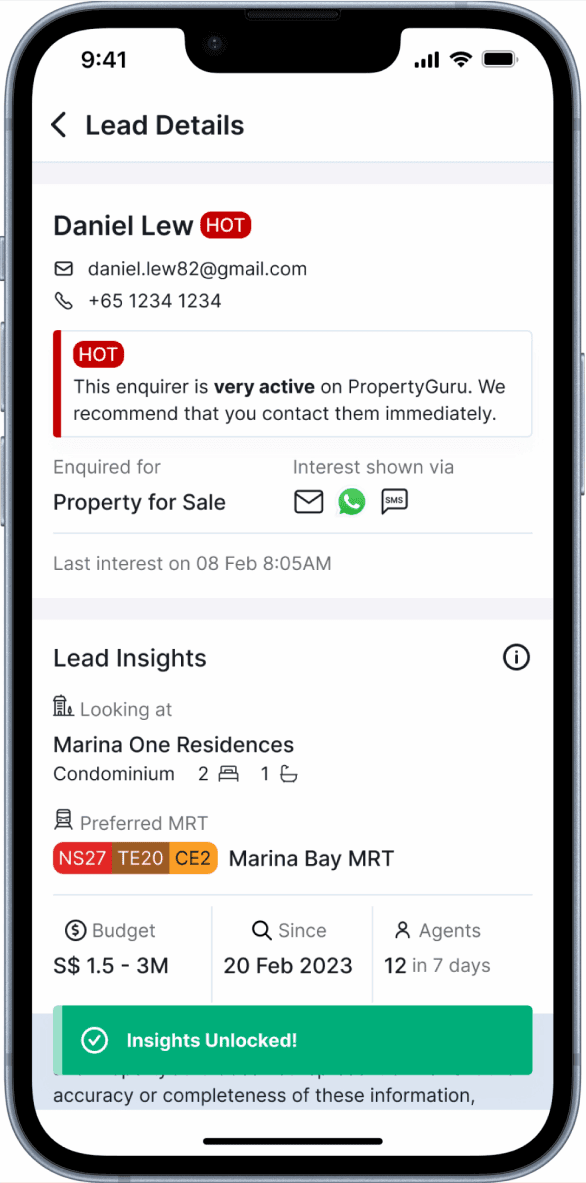
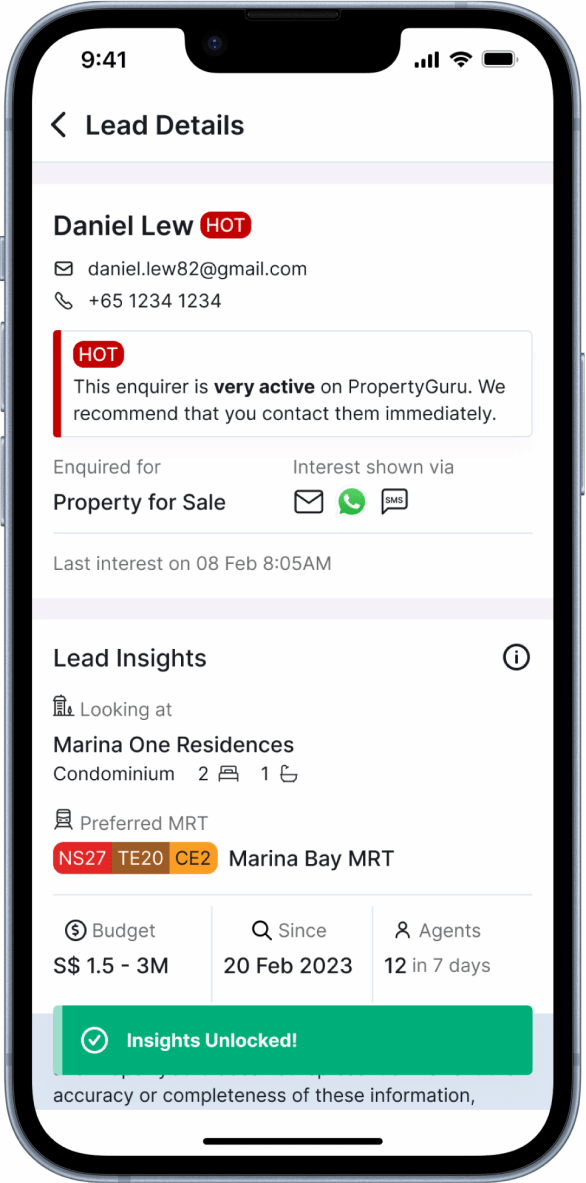
Agents can access detailed lead profiles showing preferences, contact information, property views, and interaction history with you and other agents to gain a deeper understanding of their prospects.

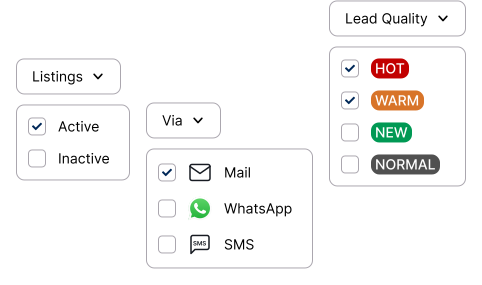
This feature allows agents to filter by lead quality, contact method, and listings - including both active and inactive properties. It also helps in efficient prioritization of the most promising prospects, leading to better productivity and faster response.
This is the final look for the Desktop view.
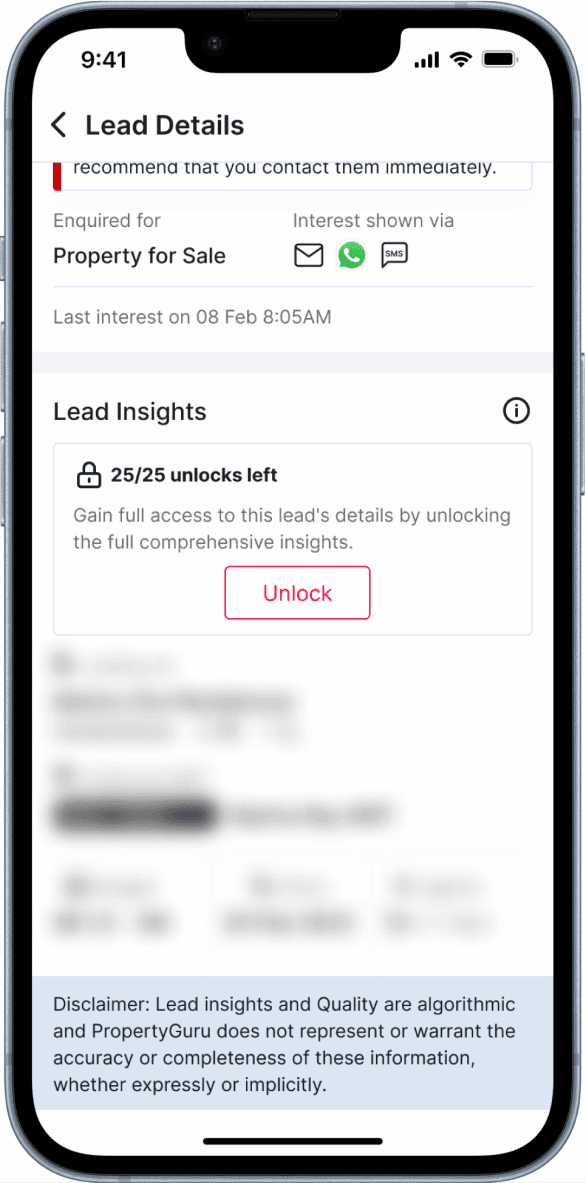
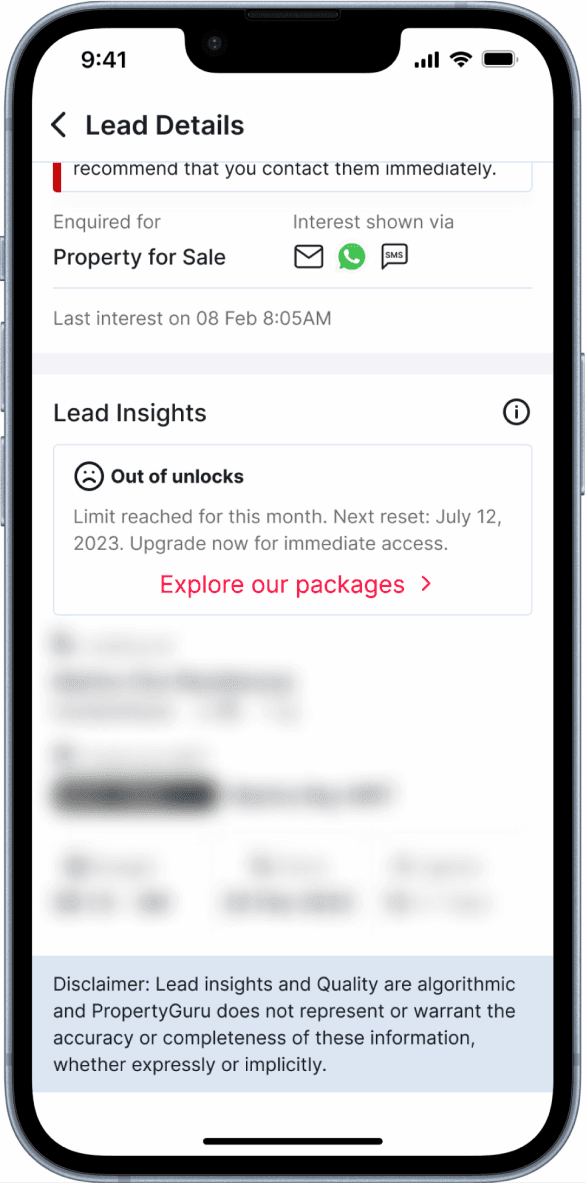
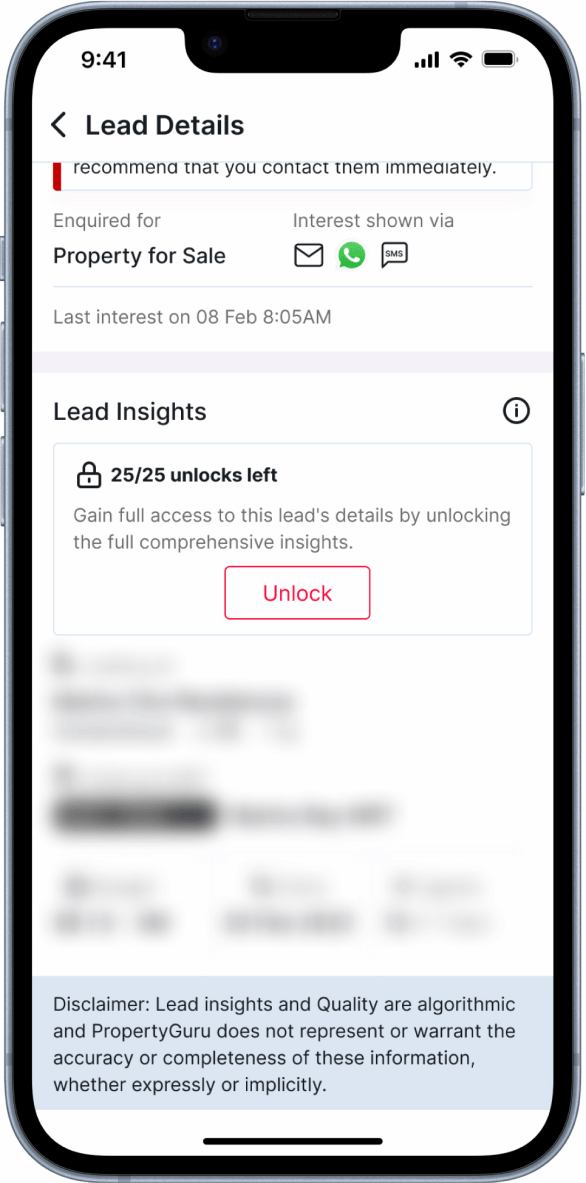
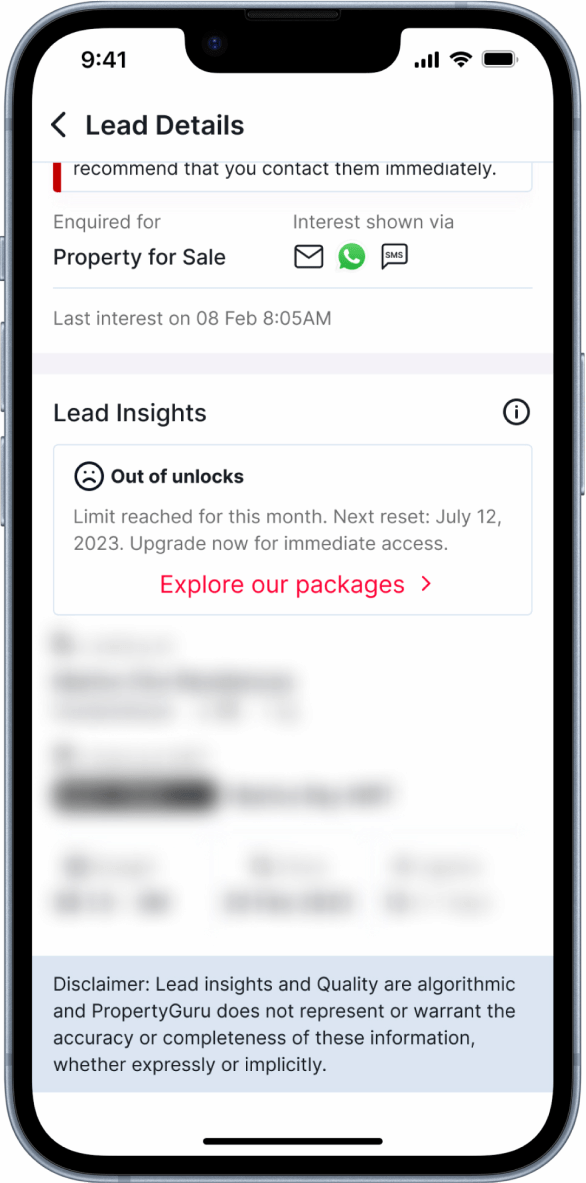
After the beta phase, upcoming releases will blur the lead insights and offer unlocks based on different types of agent subscriptions.
HEAR WHAT THE AGENTS HAVE TO SAY

When I go to the lead management dashboard, it's sorted by the latest lead and shows all the details. It's definitely useful. For every lead, there's insight on how many times the buyer or tenant has contacted, which helps me a lot in categorizing. The hot and warm status really helps me. Thank you PropertyGuru, you've done a very good job with this.
ERA Realty Network Pte. Ltd.
Premier Subscriber, Titanium Agent Partner
You just log in to the lead management dashboard, and every detail is there. It's a one-stop service. The hot and warm feature is very important. We only have 24 hours a day, so for popular viewing times, I would prioritize them. Every bit of information about the buyer or tenant really helps us.
Propnex Realty Pte. Ltd.
Standard Subscriber, Platinum Agent Partner
It's definitely an improvement. I see all my leads in one place, which is great. I can differentiate them based on their activity. I can see the contacts and verify inquiries. If I missed something, I can always go back. I use all the filters, which helps me focus on what I'm doing, especially when working with different property types. When I want to focus on something, lead management is very useful.
KF Property Network Pte. Ltd.
Premier Subscriber, Silver Agent Partner

© 2024 Designed by Hannah Fernando